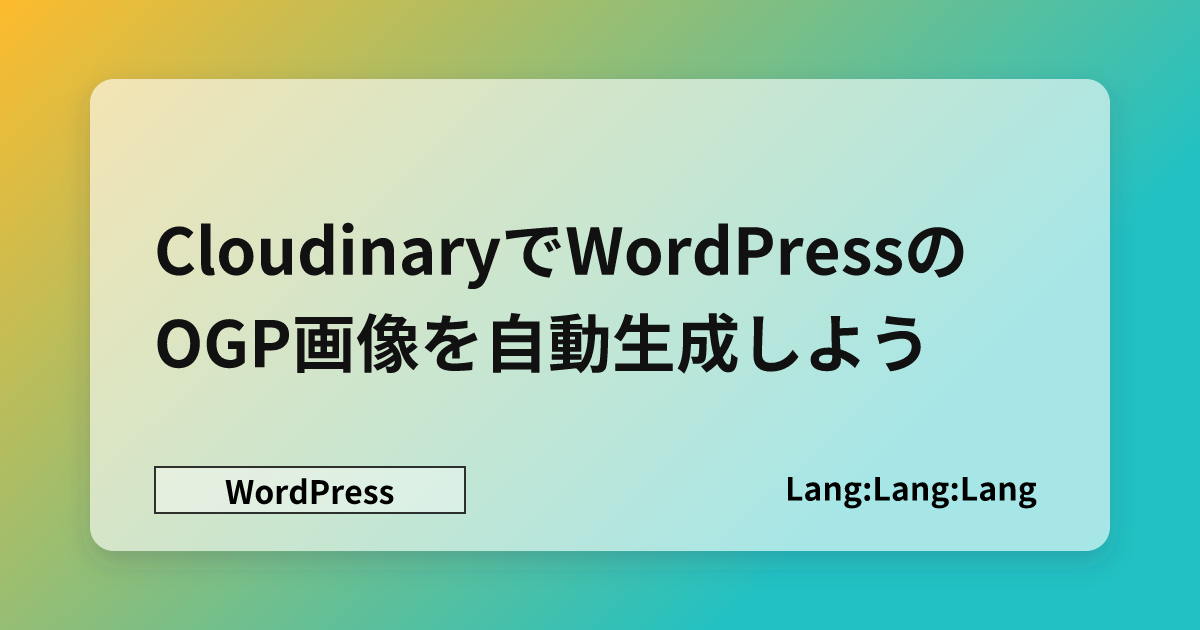
ブログ記事のアイキャッチ画像を作成するのちょっと面倒に感じませんか?
私はデザインが苦手なので画像作成はあまりやりたくありません。
なので、自動でアイキャッチ、OGPを作成できるようにしてみました。
WordPress テーマ 「Arkhe」でしかテストしてませんが他のWPテーマでも利用できると思います。
画像の準備
Cloudinary に もととなる画像を用意します。
記事にOGPを設定しない場合、自動でこの画像が記事に挿入されます。
ここでは 1,280 x 720 の画像を用意して、真ん中に記事タイトルを表示させてみます。(1,200×630が一般的です。)

これを Cloudinary にアップロードしたら、画像パスをコピーしておきましょう。
基本は以下のように指定することで WordPress 内で画像として利用できます。
https://res.cloudinary.com/[ユーザー名]/image/upload/l_text:Sawarabi%20Gothic_64:<?php the_title(); ?>,co_rgb:fff,w_480,c_fit,f_auto,q_auto/[画像パス].png"- フォント:さわらびゴシック
- 色:白 (#FFF)
- フォントサイズ:64
- テキスト幅:480px
- 自動フィットs
パラメーターを自由に指定できます。ただ、デフォルトでは日本語フォントはさわらびフォントくらいしか使えないです。カスタムフォントを使いたい場合は、こちらをご覧ください。
実際に生成される画像
このように記事タイトルが挿入された画像が生成されます。

OGPの場合
header.php などに挿入する。
Arkhe の場合 arkhe/header.php
<?php if (has_post_thumbnail()) : ?>
<meta property="og:image" content="<?php the_post_thumbnail_url(); ?>" />
<?php else: ?>
<meta property="og:image" content="https://res.cloudinary.com/XXX/image/upload/l_text:Sawarabi%20Gothic_64:<?php the_title(); ?>,co_rgb:fff,w_480,c_fit,f_auto,q_auto/XXX.png"/>
<?php endif; ?>w_480 の数値を変更するとテキスト幅を調整できます。スマホの場合は画像が真ん中で切り抜かれるので、必要があればいじってみましょう。
アイキャッチ画像の場合
テーマによって場所は異なるが、アイキャッチを出力している箇所に挿入する。
Arkhe の場合 arkhe/template-parts/single/head.php
	<?php if (!has_post_thumbnail()) : ?>
	<figure class="p_entry__thumb">
	<img
		width="1280"
		height="720"
		src="https://res.cloudinary.com/XXX/image/upload/l_text:Sawarabi%20Gothic_72:<?php the_title(); ?>,co_rgb:fff,w_800,c_fit,f_auto,q_auto/XXX.png"
		alt="thumb"
		class="p_entry__thumb__img ls-is-cached lazyloaded"/>
	</figure>
	<?php endif; ?>
記事リストのアイキャッチ
Arkhe の場合 arkhe/template-parts/post_style/normal.php
	<?php if (has_post_thumbnail()) : ?>
		<?php
				Arkhe::get_part( 'post_list/item/thumb', array(
					'sizes' => 'card' === $list_type ? '(min-width: 600px) 400px, 100vw' : '(min-width: 600px) 400px, 40vw',
				) );
			?>
	<?php else: ?>
		<div class="p-postList__thumb c-postThumb" data-has-thumb="1">
		<figure class="c-postThumb__figure">
			<img
				width="1280"
				height="720"
				src="https://res.cloudinary.com/XXX/image/upload/l_text:Sawarabi%20Gothic_100:<?php the_title(); ?>,co_rgb:fff,w_800,c_fit,f_auto,q_auto/XXX.png"
				alt=""
				class="c-postThumb__img ls-is-cached lazyloaded"/>
		</figure>
	</div>
	<?php endif; ?>
絵文字を使いたい場合
https://support.cloudinary.com/hc/en-us/articles/360003457091-How-to-overlay-emojis-in-images
絵文字を入力して2回エンコードしたものをパラメーターに入れると利用できます。
対応していないフォントでは表示が崩れます。
カスタムフォントを追加
https://www.learnwithjason.dev/blog/upload-custom-font-cloudinary-media-library
画像をオーバーレイ
ロゴを入れたい場合
https://cloudinary.com/documentation/layers
Cloudinary に画像をアップロードして拡張子なしでファイル名を [画像名] に入れる。透過したいならPNGを使う。
https://res.cloudinary.com/[ユーザー名]/image/upload/l_[画像名]/fl_layer_apply,g_west,x_10,l_text:Sawarabi%20Gothic_64:<?php the_title(); ?>,co_rgb:fff,w_1024,c_fit,f_auto,q_auto/XXX.png作成例: